Business & Enterprise
Enterprise Resource Planning System
An integrated ERP that links procurement, inventory, sales, finance and HR in one database, giving management one consistent view of operations across every branch.
- Web-based
- Android
- Server-based
Overview
Enterprise Resource Planning System (ERP)
Many growing organisations in Zanzibar and mainland Tanzania run purchasing, stock, sales and accounts on separate spreadsheets and stand-alone tools. Figures are re-keyed between departments, stock levels disagree with the books, and month-end closing depends on a few people reconciling exports by hand. An Enterprise Resource Planning System replaces those silos with one shared database and one set of master data.
Extrion Tech designs and develops the ERP around your actual operating model: which branches and warehouses you run, how requisitions are approved, how goods are received and costed, and how sales flow into receivables and the general ledger. Each transaction is entered once and posts automatically to the right accounts, so procurement, inventory, sales and finance work from the same numbers at the same time.
The system is built in phases, starting with the modules that matter most and adding others as the organisation is ready. Integrations such as electronic fiscal receipts, mobile money collections or bank payment files are optional, depend on project scope and require the provider to offer an API. Management receives consolidated dashboards by branch, department and period, with drill-down from every figure to the source document behind it.
Business problems it addresses
- Departments keep separate spreadsheets, so the same sale or purchase is captured several times with different figures.
- Stock on the shelf rarely matches stock in the accounts, and losses are discovered only at year-end counts.
- Purchase approvals happen by phone or paper, leaving no record of who authorised spending.
- Month-end closing takes weeks because branch data must be collected and reconciled manually.
- Directors cannot see consolidated sales, margins and cash position without waiting for compiled reports.
Interface
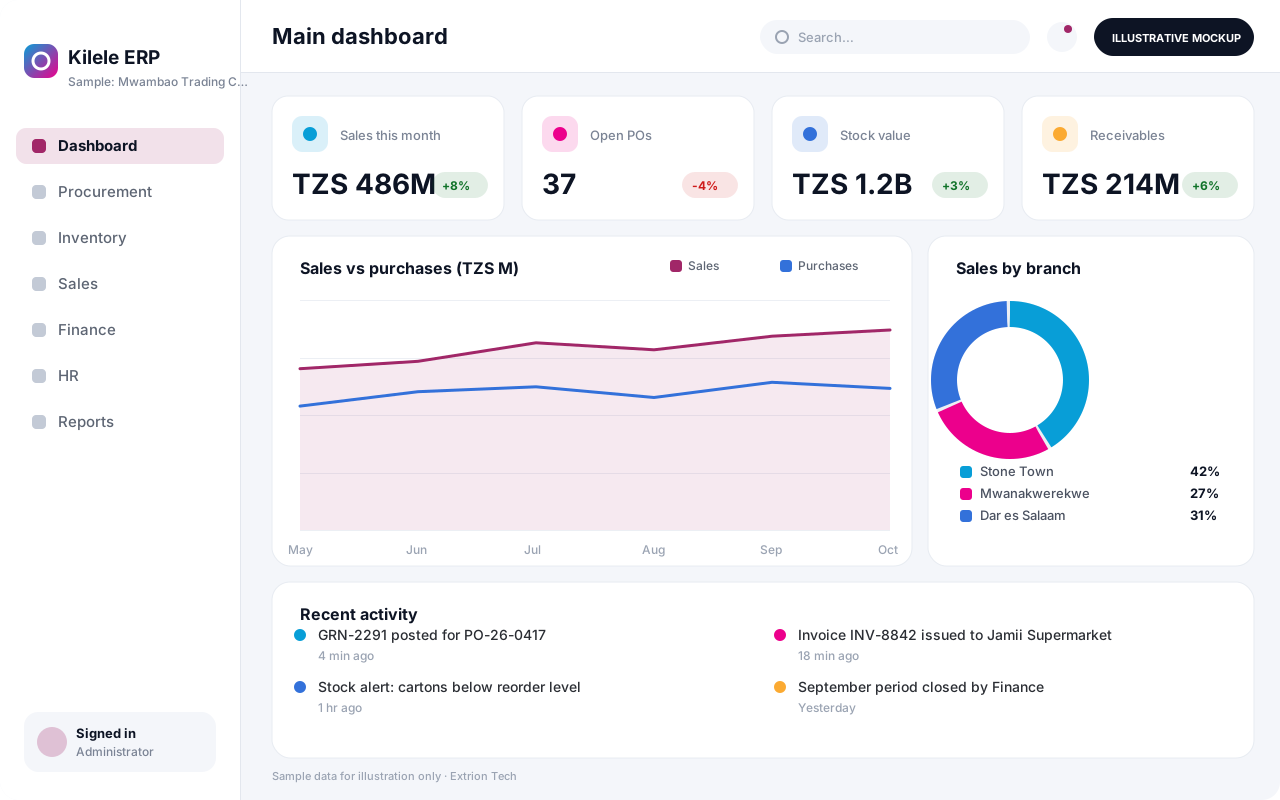
Five screens of the system
Illustrative mockups with sample data — not screenshots of a client’s system.
Workflow
From requisition to consolidated reports
-
1
Purchase requisition
A department raises a requisition against its budget line, specifying items, quantities and need date.
-
2
Approval and purchase order
The requisition is routed through the agreed approval levels and converted into a supplier purchase order.
-
3
Goods receipt
Stores check delivered goods against the order and post a goods received note with batch or serial details.
-
4
Inventory and costing
Stock levels and valuation update per warehouse, and reorder levels trigger alerts for fast-moving items.
-
5
Sales order and delivery
Sales staff confirm orders, reserve stock and issue delivery notes from the correct branch warehouse.
-
6
Invoicing and collections
Invoices are raised from deliveries, and receipts are allocated against customer balances.
-
7
Ledger posting
Every purchase, stock movement and sale posts to the general ledger using predefined account mappings.
-
8
Consolidated reporting
Management reviews sales, margins, stock and cash by branch and period, drilling down to source documents.
Functions covered
Modules and what they do
01 Supply chain
-
Procurement
Manages requisitions, quotations, purchase orders and supplier performance in one cycle.
-
Inventory and warehouses
Tracks stock by item, batch and location with transfers between branch warehouses.
-
Sales and distribution
Handles quotations, sales orders, delivery notes, price lists and customer credit limits.
02 Finance
-
General ledger
Maintains the chart of accounts, journals, cost centres and period closing.
-
Payables and receivables
Tracks supplier bills, customer invoices, ageing and payment allocation.
-
Budget control
Checks requisitions and orders against approved budget lines before commitment.
-
Fixed asset register
Records assets, locations, custodians and depreciation schedules.
03 People and administration
-
Employee records
Holds staff profiles, departments and reporting lines used across approvals.
-
Approval engine
Applies configurable approval levels by amount, department and document type.
04 Extensions
-
Production and bill of materials
Optional / subject to scope
Plans production runs and consumes raw materials against defined recipes.
-
Fiscal receipt integration
Optional / subject to scope
Connects invoicing to an EFD/VFD service where the provider offers an API.
-
Mobile money collections
Optional / subject to scope
Records customer payments received through mobile money where an API is available.
Technology stack
Technology selected for this solution
These are the technologies planned for this type of system. The final stack depends on scale, performance, licensing, infrastructure, integrations and your requirements.
Frontend
Backend
Database
Mobile
Infrastructure
Integrations
Security & data integrity
Protecting your data and its accuracy
Financial, supplier and staff data are segregated by branch and role, so users see only the transactions they are responsible for. Retention and audit requirements are agreed with the client for the relevant jurisdiction.
Standard protections
-
Role-based access control
Each user sees only what their role allows.
-
Authentication and authorisation
Every request is checked for a signed-in, permitted user.
-
Fine-grained permissions
Permissions per module and action, such as view, edit or approve.
-
Secure password storage
Passwords are stored using strong one-way hashing, never in plain text.
-
Encryption in transit
HTTPS/TLS protects data between users and the server.
-
Server-side input validation
All input is validated on the server before it is saved.
-
Protection against common web vulnerabilities
Defences against injection, cross-site scripting and request forgery.
-
Database constraints and transactions
Constraints and transactions keep related records consistent.
-
Audit logs
Important actions are recorded with who, what and when.
-
User activity history
A history of each user’s activity for supervisors and administrators.
-
Backup and restoration
Scheduled backups with tested restoration procedures.
-
Session management
Session time-outs and the ability to sign out other devices.
-
Secure API access
Authenticated, rate-limited access for integrations.
-
Data export controls
Exports limited to authorised roles and recorded.
Optional advanced protections
- Multi-factor authentication A second sign-in step for selected or all users.
- Single sign-on Sign in with your organisation’s identity provider where supported.
- Encryption at rest Sensitive data encrypted on disk where the infrastructure supports and is configured for it.
- Disaster recovery planning A documented plan to restore service after a major failure.
- Offline mode with controlled synchronisation Work offline and synchronise safely when the connection returns.
Data integrity
Each business document posts its stock and ledger entries inside a single database transaction, so a sale cannot reduce stock without the matching accounting entry. Posted documents are locked and corrected only through reversals, and every change is recorded in the audit trail for reconciliation.
Security controls are configured for each project. We do not claim certification, compliance or immunity from attack unless independently verified for your deployment.
Customisation & integration
Tailored to how you work
We tailor modules, reports, permissions, workflows, branding and integrations to your organisation. Tell us which features you need when you request a quote.
- Modules delivered in phases to match budget and readiness
- Approval levels by amount, department and document type
- Chart of accounts, cost centres and branch structure
- Document templates, numbering and company branding
- Integrations with banks, fiscal services or existing systems
Deployment & support
From go-live to continuous improvement
Onboarding, data migration, training, maintenance, technical support and future enhancements are services we scope into your project.
Bringing records from spreadsheets or older systems, checked and reconciled.
Role-based training for users, supervisors and administrators.
Technical support and maintenance under an agreed support plan.
New modules, reports and integrations as your organisation grows.
Pricing
Pricing tailored to your requirements
Every organisation has different workflows, users, infrastructure, and integration needs. Request a quotation for a solution designed around your requirements.
- Number of users, branches and modules
- Customisation and integrations
- Hosting: cloud, your server or hybrid
- Data migration and training
- Support and maintenance plan
Business & Enterprise
Related systems
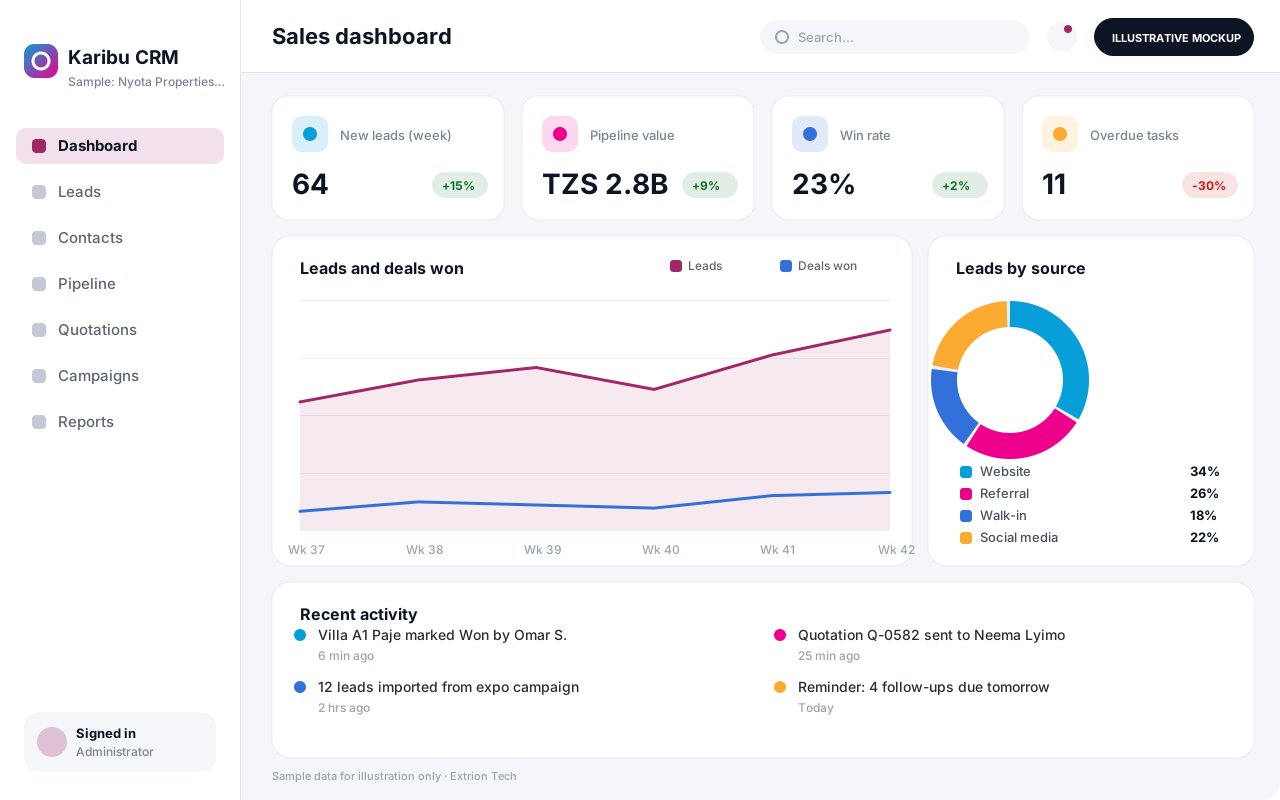 Customer Relationship Management System A CRM that tracks leads, contacts, deals, follow-ups and customer history in one place, helping sales and service teams convert more enquiries and keep accounts active.
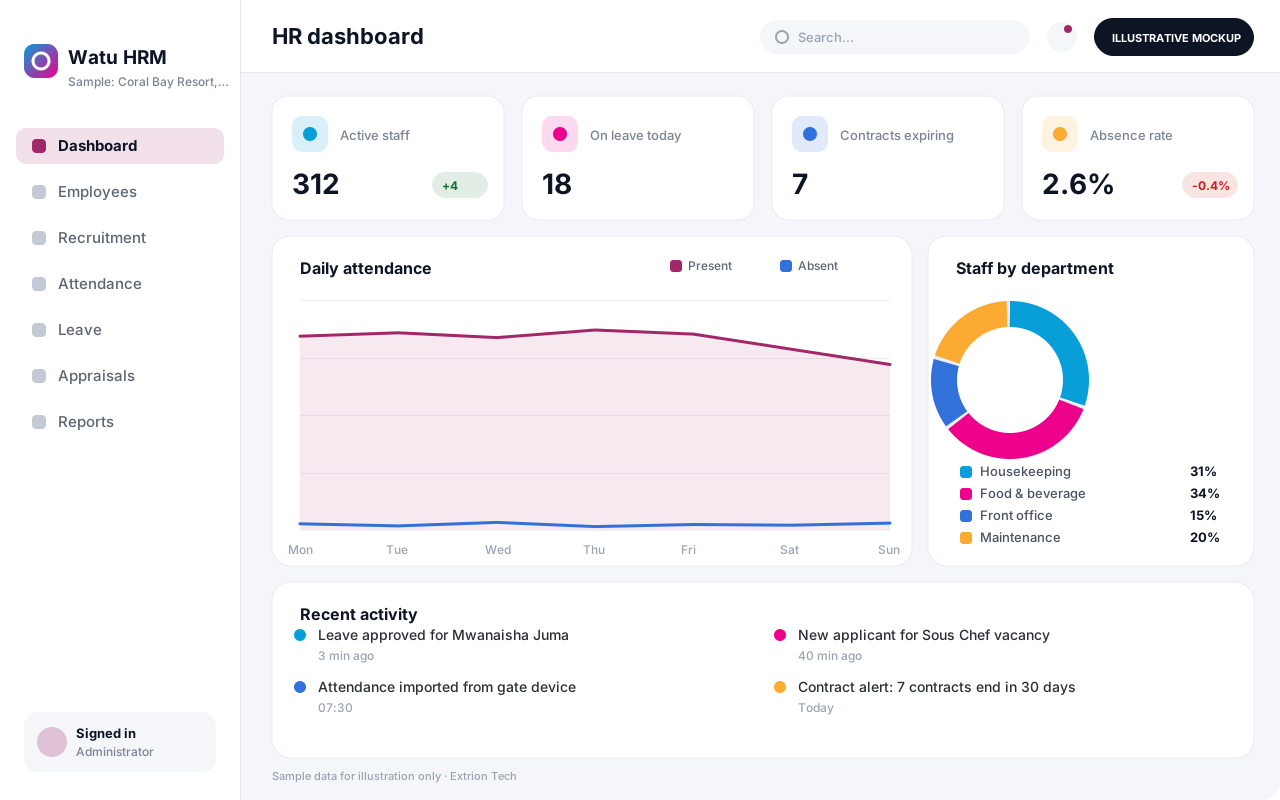 Human Resource Management System An HR system for employee records, recruitment, contracts, attendance, leave and performance reviews, with self-service so staff and managers handle requests without paperwork.
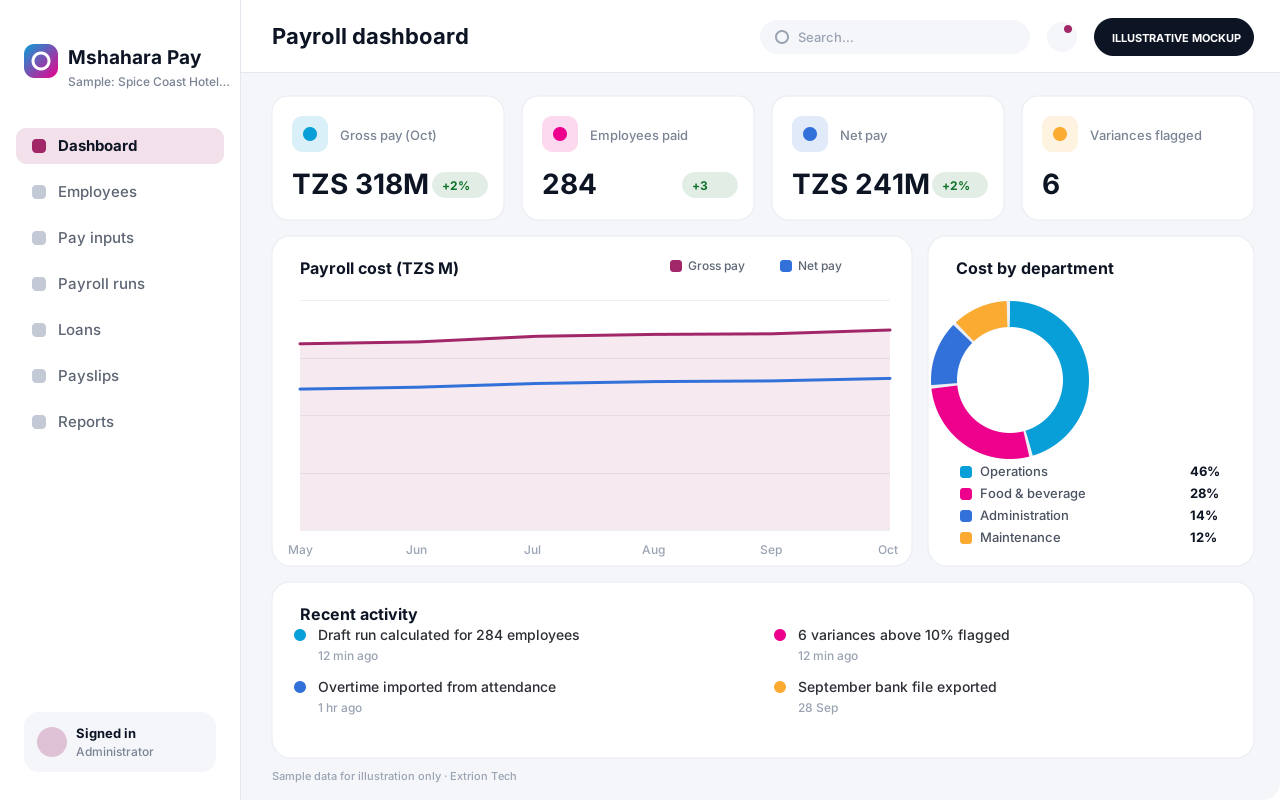 Payroll Management System A payroll system that calculates earnings, allowances and deductions from configurable rules, routes each run for approval and produces payslips, bank files and summaries.
Back to the catalogue Business software services Our development process
