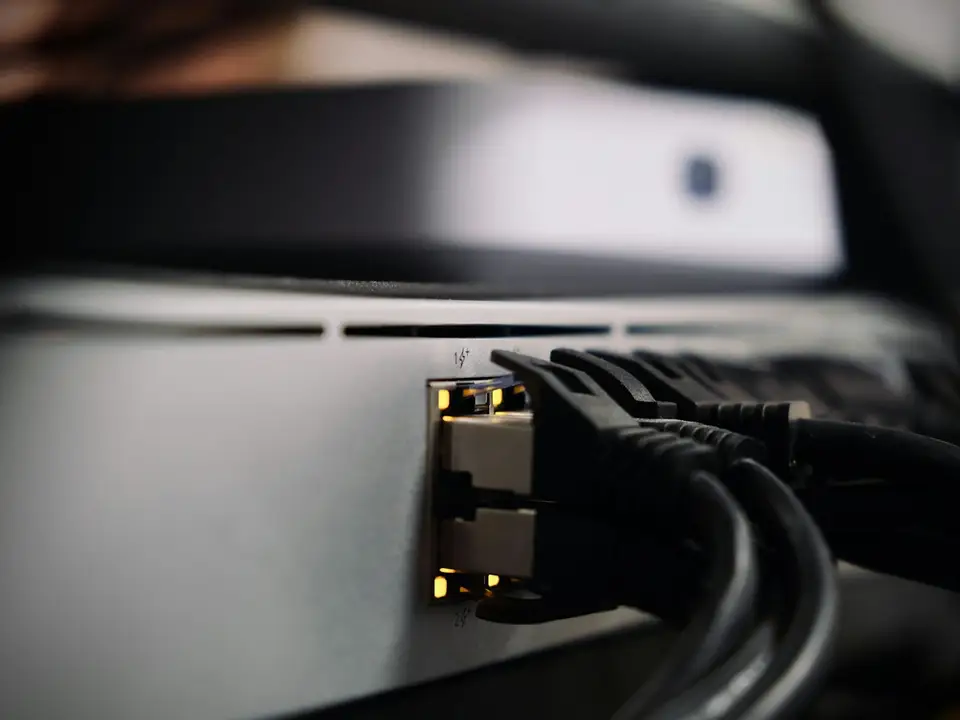
Fibre optic cable carries data as light through glass, while Ethernet cable carries it as electrical signals through copper. This guide compares the two, explains single-mode and multimode fibre, and shows how "fibre internet" from your provider differs from fibre inside a building.
How fibre carries data as light and how it differs from copper
Single-mode and multimode fibre, and when each is used
Typical speeds and distances for OS2, OM3, OM4, Cat5e, Cat6 and Cat6A
Connectors, splicing, ODFs and SFP modules
The difference between fibre internet and fibre inside a building
Applies to
Single-mode (OS2) and multimode (OM3, OM4) fibre
Cat5e, Cat6 and Cat6A copper cabling
ODFs, patch panels and fibre patch cords
SFP and SFP+ modules in switches and routers
ISP fibre services with an ONT
Tools Required
No tools needed.
Before you start
None. This is an explainer.
Important
Never look into a fibre end, connector or SFP module. Laser light can be invisible and can damage your eyes.
Do not mate APC (green) and UPC (blue) connectors; it causes high loss and can damage both end faces.
Cut fibre leaves sharp glass slivers. Splicing and termination are jobs for trained installers with proper disposal.
Step-by-Step Guide
Fibre and Ethernet, step by step
1 / 10 steps
Step 1
Inside a fibre cable
A glass core and cladding carry the light. A buffer coating, aramid strength members and an outer jacket protect them.
Expected result: You can name each layer of a fibre cable.
A laser or LED flashes on and off very fast. The cladding keeps the light inside the core by total internal reflection.
Expected result: Data travels as pulses of light, unaffected by electrical noise.
Copper Ethernet runs up to 100 m and can carry PoE. Fibre runs much further and does not carry surges between buildings.
Expected result: Copper for devices, fibre for long links and backbones.
Single-mode (OS2) has a 9 micrometre core for long distances. Multimode (OM3, OM4) has a 50 micrometre core for shorter links.
Expected result: You know which type you have and that optics must match it.
An ODF holds the splice tray, pigtails and adapters where building fibres end, so patch cords can connect them to equipment.
Expected result: Fibres are protected, labelled and easy to patch.
LC connectors fit most SFP modules; SC is larger. Blue is UPC, green is APC. Never mate APC with UPC.
Expected result: Patch cords match the adapters and modules at both ends.
Fusion splicing melts the glass ends together for the lowest loss. Mechanical splices clamp them and suit temporary repairs.
Expected result: Each splice sits protected in the splice tray.
Insert an SFP module that matches the fibre type, wavelength and reach, with the same type at the other end.
Expected result: The switch port links up and its light comes on.
The provider's fibre runs from its OLT to your ONT. Your router and switches then carry the network around the building.
Expected result: You can see where the ISP's fibre ends and your network begins.
Most faults are dirty connectors, tight bends or broken fibres. Clean and inspect connectors first, then test the link.
Expected result: The faulty section is found and repaired.
Troubleshooting
Common problems and how to fix them
1 Fibre link down, no light on the SFP port
Likely cause Dirty or loose connector, transmit and receive fibres swapped, or a broken fibre.
Solution Clean and reseat both ends, swap the two fibres of the pair at one end, then test with a light source or visual fault locator.
2 Link comes up then drops or shows errors
Likely cause Too much loss from dirty connectors, a tight bend or a poor splice.
Solution Inspect and clean connectors, look for tight bends in trays and patch cords, and have the link loss measured.
3 SFP module not recognised by the switch
Likely cause The switch accepts only approved modules, or the module type is unsupported.
Solution Check the switch's compatible module list and use a supported module.
4 Link will not come up after changing modules
Likely cause Modules at each end differ in fibre type, wavelength or speed.
Solution Use matching modules: multimode SR with multimode fibre, single-mode LR with single-mode fibre, same speed both ends.
5 ONT shows a LOS or red PON light
Likely cause The provider's fibre signal is not reaching the ONT.
Solution Check the ONT patch cord is not bent or unplugged, then contact your internet provider. Do not open the provider's equipment.
6 10 Gbps copper link runs at 1 Gbps
Likely cause Cat6 run too long for 10GBASE-T, or cable and terminations not up to Cat6A.
Solution Have the link certified. Use Cat6A for 10 Gbps up to 100 m, or fibre for longer runs.
In Depth
In Depth
Fibre optic cable carries data as light through glass, while Ethernet cable carries it as electrical signals through copper. This guide compares the two, explains single-mode and multimode fibre, and shows how "fibre internet" from your provider differs from fibre inside a building.
"Fibre internet" and fibre in a building are different things
People use the word fibre for two separate jobs.
Fibre internet is your connection to the internet provider. In a typical fibre-to-the-home or fibre-to-the-building service (FTTH or FTTB), the provider runs a single-mode fibre from its equipment (the OLT, optical line terminal) through the street, often through passive optical splitters, to a small box on your premises called the ONT (optical network terminal). This shared passive design is called a PON; GPON is the common ITU-T standard (G.984). The ONT turns light into ordinary Ethernet for your router. The provider owns and maintains everything up to the ONT.
Fibre inside a building or campus is your own private cabling: links between the main network cabinet and other floors, blocks, a gatehouse or a guest villa. It connects your switches, not the internet provider, and you choose the fibre type and the modules at each end.
Many sites in Zanzibar have both: a provider's fibre arriving at the ONT, and the business's own fibre or copper carrying the network around the property. A fast fibre internet service will not fix a slow building network, and good internal fibre will not speed up a slow internet plan.
How fibre carries data
A fibre has a glass core surrounded by glass cladding with a slightly different refractive index. Light sent into the core bounces along it by total internal reflection, even around gentle curves. A protective buffer coating, strength members (usually aramid yarn) and an outer jacket protect the glass.
Because the signal is light, fibre is not affected by electrical interference, does not carry lightning surges between buildings when the cable has no metal parts, and runs much further than copper.
Warning Never look into the end of a fibre, a connector or an SFP module. The lasers used are often invisible and can damage your eyes.
Single-mode and multimode
Single-mode fibre (OS2) has a very small core, about 9 micrometres, that carries one path of light. It is used by internet providers and for long links. Multimode fibre (OM3 and OM4) has a larger 50 micrometre core that carries many paths of light; it uses cheaper short-range optics but over shorter distances. The two types must not be mixed on one link, and the SFP modules at each end must match the fibre type.
Comparison table
Cable
Typical speeds
Distance (typical, per standard)
Installation requirements
Typical applications
Single-mode OS2
1, 10, 25, 100 Gbps and more
10 km with 10GBASE-LR optics; longer with longer-reach optics
Fusion splicing or factory-made pigtails, clean connectors, bend radius respected, light-loss testing
ISP fibre (FTTH/GPON), links between buildings, long campus runs
Multimode OM3
1 and 10 Gbps (higher with parallel optics)
10GBASE-SR up to 300 m
As above; matching multimode optics
Links between floors or nearby buildings, server rooms
Multimode OM4
1 and 10 Gbps (higher with parallel optics)
10GBASE-SR up to 400 m
As above; matching multimode optics
Same as OM3 with more reach, data centres
Cat5e
Up to 1 Gbps
100 m channel
Twisted-pair copper, termination to standard, keep away from power cables
Desks, phones, cameras in existing buildings
Cat6
1 Gbps; 10 Gbps on short runs
100 m at 1 Gbps; 10GBASE-T up to 37 m, and 37 to 55 m depending on alien crosstalk
As Cat5e, with more care over untwisting at terminations
New office cabling, PoE cameras and access points
Cat6A
Up to 10 Gbps
100 m channel at 10 Gbps
Thicker cable, larger bend radius, more space in trays and conduits
New builds, Wi-Fi 6/6E/7 access points, 10 Gbps to switches
The 100 metre copper limit is for the whole channel: normally up to 90 metres of fixed cable plus patch cords at each end. Fibre distances depend on the optics, the number of connectors and splices, and the light-loss budget, so treat them as typical maximums, not targets.
Fibre vs copper: which to use
Copper Ethernet is cheaper to terminate, can carry PoE power, and suits almost every desk, camera and access point within 100 metres of a switch. Fibre is the right choice when:
the link is longer than 100 metres;
it runs between separate buildings, where copper can carry surges and earth differences;
it passes heavy electrical equipment or runs alongside power cables;
you need room to grow beyond 10 Gbps on the backbone.
In practice most buildings use both: fibre for the backbone between cabinets and copper from each cabinet to the devices.
Termination and connectors
Fibre is terminated with connectors that plug into adapters in a patch panel or ODF (optical distribution frame). The two common types are SC, a square push-pull connector with a 2.5 mm ferrule, and LC, a smaller connector with a 1.25 mm ferrule, used on most SFP modules.
The end-face polish matters. UPC connectors (normally blue on single-mode) have a slightly domed end face. APC connectors (green) are polished at an angle of about 8 degrees, which reduces reflection back down the fibre. APC and UPC connectors must never be mated with each other. Fluke Networks warns that the fibre cores will not line up, performance will be very poor, and the end faces can be damaged, including the one inside an expensive transmitter. Where the two must meet, use a hybrid patch cord with the right connector at each end. Many SFP modules accept only UPC/PC patch cords.
Splicing
Joining two fibres permanently is called splicing. Fusion splicing melts the two glass ends together with an electric arc; it gives the lowest loss and the most reliable joint and is used for almost all single-mode work. Mechanical splicing aligns the fibres in a small clamp with index-matching gel; it needs cheaper tools and is mainly used for temporary repairs. Both need a precise cleave.
SFP modules
Switches and routers connect to fibre through SFP (or faster SFP+, SFP28) modules. Each module is built for one fibre type, one wavelength and one reach, and both ends of a link must match. A 10GBASE-SR module is for multimode; a 10GBASE-LR module is for single-mode. Some switches accept only their own brand of modules, so check before buying.
Common faults
Most fibre problems are simple: a dirty connector (dust on the end face blocks light), a tight bend in a patch cord or cable tray that leaks light out of the core, a broken fibre from crushing or cutting, or mismatched fibre types, modules or APC/UPC connectors. A visual fault locator, a power meter or an OTDR finds them. Always inspect and clean connectors before blaming the equipment.
When to call Extrion
If you need to link buildings, extend a network beyond 100 metres, or connect your own network to a new fibre internet service, our networking, Wi-Fi and cabling team can help you plan the links. Contact us to arrange a survey.
This guide is general information. Procedures, product features and firmware change, so check your own equipment's documentation before you start.
FAQs
Frequently asked questions
Is fibre always faster than Ethernet cable?
Not for a single device. A Cat6A cable carries 10 Gbps for 100 metres, which is more than most devices need. Fibre's advantages are distance, immunity to interference and room for higher speeds on the backbone.
Can fibre carry PoE power?
No. Glass carries light, not electricity. Devices on fibre need local power, or you run fibre to a switch near them and use copper with PoE for the last part.
What is the box my internet provider installed?
It is usually an ONT, which converts the provider's fibre signal into Ethernet for your router. The provider owns it; if its PON or LOS light shows a fault, contact the provider.
Should we use single-mode or multimode inside our building?
Both are used. Multimode (usually OM3 or OM4) is common inside buildings because its optics cost less, while single-mode is the norm outdoors and between buildings and handles any distance and future speeds. Some designers lay hybrid cable with both types in the backbone. If fibre is already installed, match it.
Can I mix APC and UPC connectors?
No. Mating a green APC connector with a blue UPC one causes high loss and can damage the end faces. Use the patch cord type that matches both ends.
Do I still need copper cabling if we install fibre?
Yes, in almost every building. Fibre forms the backbone, while copper connects desks, cameras and access points and carries PoE.
Does fibre between buildings protect against lightning?
All-dielectric fibre cable, with no metal parts, does not carry electrical surges between buildings, which is a major reason to use it. Cables with metal armour or strength members still need proper earthing.
Planning a Fibre Optic Installation?
From links between buildings to fibre backbones inside them, we plan the route, terminate and test every core.
Ask for clarification, tell us a problem this did not solve, or suggest a topic. An engineer reads every message, and we use them to improve the Knowledge Center.
BookBook a consultationPick a time to talk through your project.
Call us+255 674 020223
WhatsAppChat with our team.
Emailinfo@extrion.co.tz
PayPay withBank and mobile money detailsPBZ Bank 045 195 9000Mixx by Yas +255 674 020 223Lipa Namba 16172192
Find usKiembesamaki, Zanzibar
Ask Extrion
Engineers reply Mon – Fri, 08:00 – 17:00
End this chat?
We'll send a copy of the conversation to our team. Next time, the chat starts fresh.
online nowPeople browsing Extrion Tech right now
Privacy by design
A few cookies, only with your say-so
We use essential cookies to keep this website secure and working. With your permission we also remember your preferences and play embedded videos. No advertising trackers, ever. Read our cookie notice
 Networking, Wi-Fi & Fibre Optics
10 min
Comparison